订阅AI通讯
您的数据完全安全。我们不会与任何人共享。
Explore FLUX.2 [max] prompt examples, editing workflows, and a fast generator path built for high-quality AI image work.
![FLUX.2 [max] Image Generator-Prompt Gallery and AI Image Editing - FLUX.2 [max] | allinAI.Tools](https://oss.allinai.tools/allinai/fe108c7d-8a8d-47b3-9a75-3f87cc1a6b2a.jpg)
FLUX.2 [max] Image Generator is an advanced AI tool designed for creators, designers, marketers, and visual teams who need higher-quality Image Generation with fewer wasted iterations. More than just a standard AI image generator, FLUX.2 [max] Image Generator combines prompt references, editing workflows, and visual guidance to help users create polished, production-ready images more efficiently.
One of the biggest strengths of FLUX.2 [max] Image Generator is its prompt gallery and workflow-first approach. Instead of relying on random trial and error, users can explore proven prompt examples, category hubs, and tag-based references before generating their own images. This helps improve prompt quality, reduce unnecessary revisions, and produce stronger visual outcomes from the beginning.
For commercial creators, FLUX.2 [max] Image Generator performs especially well in product marketing image generation. Users can create professional product photography, eCommerce hero images, packaging visuals, and launch assets with cleaner consistency and more polished visual quality. This makes it a practical AI tool for brands, online stores, and marketing teams seeking fast content production.
Another standout feature is its iterative editing workflow, allowing creators to refine lighting, adjust composition, clean up details, or improve image stability while preserving the original structure. Rather than starting over, users can gradually improve visuals through controlled editing.
FLUX.2 [max] Image Generator also excels in character consistency, helping users maintain facial identity, proportions, wardrobe, and visual style across multiple scenes. This feature is especially useful for storytelling, game assets, comics, and reusable character systems.
Beyond standard Image Generation, the platform supports logo design references, cinematic filmmaking visuals, spatial reasoning, text rendering, and retexturing workflows. Whether you need stylized typography, cinematic concept art, material redesign, or environment development, FLUX.2 [max] Image Generator provides structured references to improve creative output.
What makes FLUX.2 [max] Image Generator particularly beginner-friendly is its guided workflow. New users are encouraged to start with categories, browse successful examples, and reuse prompt structures instead of guessing prompts from scratch. This significantly reduces blind experimentation and speeds up creative results.
Overall, FLUX.2 [max] Image Generator stands out as a highly capable AI tool for modern Image Generation, combining prompt intelligence, editing flexibility, visual consistency, and production-ready workflows into a more efficient creative experience.
Use the site as a FLUX.2 [max] prompt gallery and workflow reference. You can browse example prompts, open category hubs, inspect tag pages for narrower visual angles, and move into the generator when you are ready to test your own version.
Usually yes. A few minutes in the gallery gives you better prompt structure, clearer visual language, and less blind trial-and-error once you start generating.
Cases are individual prompt examples. Category pages group examples by broader jobs like product photography, character work, or design references. Tag pages go narrower around a specific subject or style cluster.
Yes. The strongest workflow is to reuse the prompt structure, then swap in your own subject, scene constraints, material details, or editing instructions rather than copying everything verbatim.
Yes. Many examples are useful for edit-style requests, not just blank-page generation. Look for cases that show cleanup, relighting, composition changes, surface refinement, or reference-led revisions.
Start with a category page that matches your job, open two or three examples, then test a prompt in the playground or generator.
分享实用笔记,帮助他人评估此工具。
暂无评论。开始对话吧。


探索精心挑选的 Codex 皮肤,保存收藏,并在 macOS 或 Windows 上自定义 Codex 桌面版,同时保留原生 UI。

NanoBananaAI 是一款由 Nano Banana Pro(谷歌先进图像模型)驱动的免费 AI 图像生成器。通过自然语言提示词,创建、编辑和转换令人惊叹的视觉效果,无需设计技能。

通过想法或脚本生成无脸短视频。在生成前检查吸引点、配音、视觉、字幕和场景规划。
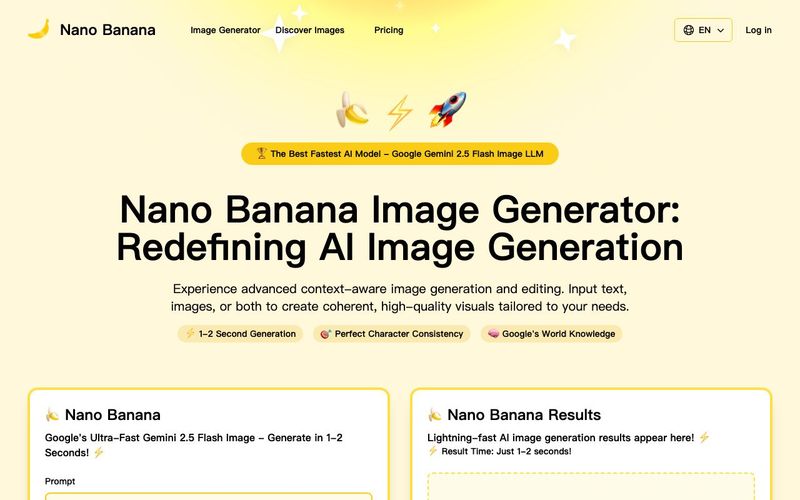
Discover Nano Banana, the next-generation multimodal model for context-aware image generation and editing. Combine text and image prompts to create, edit, and refine visuals with unmatched consistency and style.


Flux 2 Max 是 Flux 2 系列中最先进的版本,专为追求高精度、真实感和生产级视觉输出的创作者而设计。作为一款高端的 AI 图像生成器(AI Image Generator) 与强大的 AI 图像编辑器(AI Image Editor) 的结合体,Flux 2 Max 将图像质量与一致性提升到了全新高度,非常适合专业级创作流程。
随着人工智能的飞速发展,11月成为了全年最具突破性的月份之一。从新一代图像模型和令人惊叹的视频工具,到能够编写代码、构建应用程序、清理杂乱数据,甚至从零开始创建完整学习中心的 AI 助手,应有尽有。无论你是创作者、营销人员、学生、开发者,还是仅仅是一位人工智能爱好者,本月的种种新发现都会让你重新思考人工智能的无限可能。

2025年最佳AI大模型与AI工具,最受欢迎的免费AI大模型与AI工具。

With the launch of the iOS 18.1 Beta version, registered developers can now experience some of the features of Apple AI, a cutting-edge addition to AI tools.