訂閱 AI 電子報
您的資料完全安全。我們不會與任何人分享。
Translate video and dub voices and auto add subtitles, directly in your browser. Available in 100+ languages with 99.9% accuracy. Try now for free!
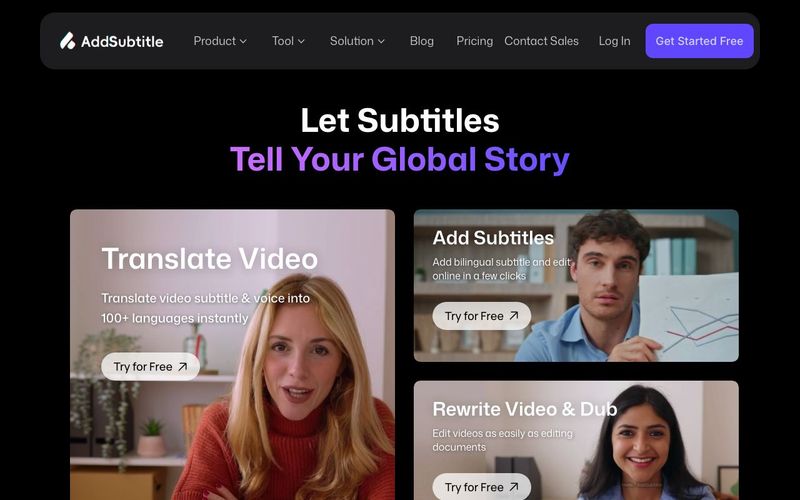
Add Subtitle.ai is a powerful AI tool designed to transform video creation, translation, and dubbing with extreme accuracy—all directly inside your browser. Supporting over 100 languages with 99.9% precision, this platform makes multilingual video generation easier than ever, helping creators, educators, and marketers produce globally accessible content in minutes. Whether you're crafting social media clips, online courses, or promotional videos, Add Subtitle.ai delivers a seamless workflow that upgrades your entire video production pipeline.
With Add Subtitle.ai, you can add subtitles or captions to any video in just a few minutes. Its AI-powered engine creates fully customizable text across 100+ languages, ensuring every viewer stays engaged even with the sound off. For creators who rely on attention-grabbing visuals and subtitles, this AI tool is essential.
Add Subtitle.ai allows you to translate videos with a single click. The AI produces context-aware translations with perfect subtitles and natural-sounding voiceovers. This feature is ideal for turning local content into a global asset—an essential step in modern Video Generation for worldwide audiences.
Instead of spending hours recording new audio tracks, you can upload your video and replace the original audio with a fully translated AI-generated voiceover in any language. This fast multilingual dubbing turns simple videos into global-ready masterpieces.
One standout feature of Add Subtitle.ai is the ability to edit video like you edit text. Simply adjust captions, scripts, or dialogue, and the video automatically syncs. With Video Rewrite, you can even change what someone is saying—their new voice and lip movements adjust perfectly to match your updated script.
Add Subtitle.ai provides vibrant subtitle styles, dynamic fonts, and full support for 100+ languages. This makes it perfect for vlogs, viral clips, tutorials, and branded social videos that need eye-catching design and professional polish.
Creators can keep their own voice while speaking every language, thanks to Add Subtitle.ai’s multilingual voice adaptation. Whether you're posting on TikTok, YouTube, or Instagram, this AI tool helps boost followers, engagement, and global reach.
Select your desired feature from the dashboard and upload your video after adjusting the settings.
Edit your video effortlessly with diverse AI tools in our intuitive interface.
Download your edited video instantly or share it through a simple link.
Add Subtitle sets itself apart by supporting over 100 languages, far exceeding most other online video editors.Beyond helping you add subtitles and translate videos,we provide advanced features like Al-powered dubbing,a diverse voice generator library, and voice clone technology-all in one platform.Whether you need to translate subtitles,add voiceover,or transcribe video content,everything happens online without software downloads,accessible on any device.
Our AI video translator supports over 60 output languages, including Spanish, French, German, and Japanese, and it can accept more than 100 input languages. This allows you to easily add voiceovers and translate subtitles into almost any language.
No. Our online video editor is completely web-based, allowing social media creators to edit videos directly in their browser. Simply upload your content, select the features you need, and our AI video editor will process everything online. No software download required.
Absolutely! You can add and edit subtitles in multiple languages for the same video, making it easier to create content for global audiences.
Yes. We take data security very seriously and use robust encryption protocols to protect your content. All uploaded videos are stored on secure cloud servers with enterprise-grade protection. We never share your content with third parties without your explicit permission. Our platform follows international data protection standards to ensure your media always remains private and secure.
You can try our online video editor for free, with 30 credits included in the monthly trial plan. Paid plans provide advanced features and unlimited translation for videos in any supported language.
You can find your uploaded videos in the workspace dashboard. There are three tabs on the left side. Under the “Home” tab, your videos will appear in the “Recent Projects” section. Alternatively, you can go to the “Space” tab, where all your uploaded videos are stored.
Viral videos rely on visibility across platforms like YouTube, TikTok, Instagram, and Facebook. When creating videos for these platforms, creators should think about how to stand out through smart storytelling and presentation choices. Try making shorter, more unique videos that resonate with your target audience and align with current trends. Using auto-subtitle tools makes your content easier to understand and more engaging—even without sound. The right hashtags combined with clear automatic captions can significantly boost your video’s reach.
Our online video creation tool offers a wide range of free text tools and font combinations, perfect for social media creators. Simply insert a new text box or replace an existing placeholder to add subtitles to your video. Then you can experiment with different fonts, colors, and sizes to match your brand identity. Adding AI-generated subtitles to your vlogs and tutorials helps increase views, especially on platforms where many users watch videos with the sound off. You can even use our voice generator to add voiceovers and make your content more engaging.
分享實用筆記,並幫助其他人評估這個工具。
尚無評論。開始對話吧。

VideoAny 是波蘭的 AI 工作室,可從文字與照片製作影片、生成圖像與音訊。以免費額度開始使用,並享有彈性的內容規範。
Lingbot Video 可將文字與圖片轉換為電影感 4K AI 影片,具備逼真動態、精準遵循提示詞、無浮水印匯出及完整商業授權。
Dola AI 可免費將文字與圖片轉換成短影片。可依提示詞或照片生成 AI 影片、下載無浮水印片段,並分享到任何地方。
VidRush AI 是一個統一的生成式 AI 工作室,結合 Google Veo 3.1、Seedance 2.5、Kling、Nano Banana、Seedream 和 Suno 等頂級模型,在單一工作區中創作電影級影片、逼真圖像和錄音室級音樂。



This comprehensive guide explores the best AI image generators available in 2026, highlighting their unique features, strengths, and ideal use cases. We'll dive deep into each tool's capabilities to help you identify which AI image generator best suits your creative needs.

Google has just launched a powerful AI IDE code editor — now you can really vibe while coding

The best AI Model And AI Tools in 2026,The Most Popular Free AI Model And AI Tools.