Подпишитесь на новости ИИ
Ваши данные полностью защищены. Мы никому их не передаём.
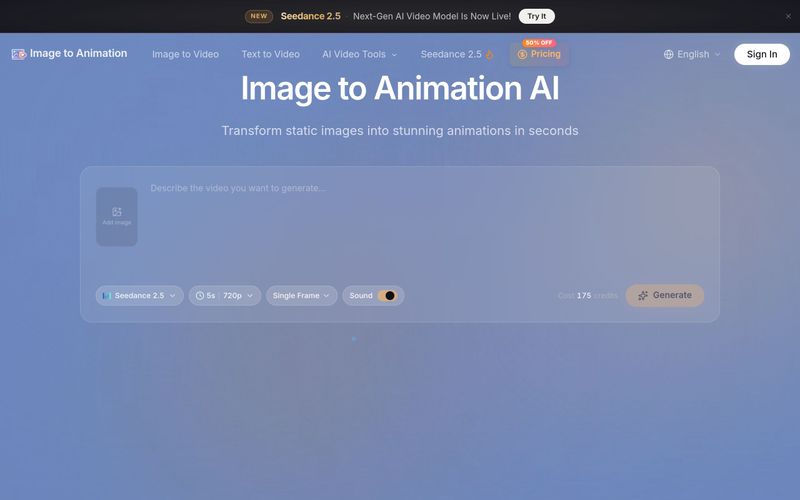
Image to Animation Generator is an AI-powered tool that turns your static photos into dynamic videos. Upload an image, describe the motion you want, and our AI creates a smooth, realistic animation in seconds — no video editing experience required.
Generation typically takes 1-5 minutes, depending on complexity and length.
No technical skills required to animate a picture! Our image to animation tool is designed for everyone. Simply upload your image, write a prompt, pick your settings, and click generate. The entire process takes just a few clicks.
We bring together top AI models — Kling, Veo 3, Runway, Wan, and more — in a single platform, so you can get great results without switching tools. Outputs are watermark-free with smooth, believable animation and audio, while preserving the fidelity of your original image.
Our tool supports JPG, JPEG, PNG, and WEBP formats. Upload your image in any supported format and start using our image to animation tool to animate a picture instantly.
No watermarks! All generated videos are completely watermark-free. However, please note that commercial use rights are available only for premium subscribers. Free users can create and download watermark-free videos for personal use.
Commercial use requires a premium subscription. Premium users have full commercial rights, while free users are limited to personal, non-commercial use only.
Yes! New users get free credits on sign-up — no credit card required. You can start creating animations right away. For more credits and commercial use, check out our premium plans.
New users get welcome credits to try our image to animation tool for free — for personal, non-commercial use only. Paid plans give you more, in three tiers: Basic adds more credits and access to premium AI models (Kling, Veo 3, Runway, Seedance and more), still for personal use only. Pro adds full commercial-use rights. Ultimate provides the largest credit allowance with all Pro benefits.
Yes. You can cancel anytime from your dashboard. After canceling, your remaining credits and plan benefits stay active until the end of your current billing period, and no further charges will be made.
No. Sign up with Google and get welcome starter credits to try our image to animation tool right away — no credit card required.
Commercial use is included with the Pro and Ultimate plans only. The Basic plan and welcome credits are for personal, non-commercial use. Once you're on Pro or Ultimate, all videos you generate are yours to use commercially.
We do offer refunds under certain conditions. You can find the full terms in our Refund Policy, which is also linked in the footer.
Image to Animation offers free credits, watermark-free outputs, supports JPG/PNG/WebP, and provides commercial use on Pro and Ultimate plans. Subscriptions can be canceled anytime, and refunds are available under certain conditions.



This comprehensive guide explores the best AI image generators available in 2026, highlighting their unique features, strengths, and ideal use cases. We'll dive deep into each tool's capabilities to help you identify which AI image generator best suits your creative needs.

Google has just launched a powerful AI IDE code editor — now you can really vibe while coding

The best AI Model And AI Tools in 2026,The Most Popular Free AI Model And AI Tools.