Подпишитесь на новости ИИ
Ваши данные полностью защищены. Мы никому их не передаём.
CreateForge AI is a creative workspace that lets you generate images and videos using a variety of AI models, including Nano Banana, Seedream, Grok Imagine, Veo, Flux, GPT Image, and Seedance. It offers prompt writing, model selection, protected quotes, and a private library to store your results.

CreateForge AI is an all-in-one creative workspace designed for generating images and videos with a wide selection of the latest AI models. Whether you're an artist, marketer, or content creator, you can access popular models like Nano Banana Pro, Seedream 5.0, Grok Imagine, Veo 3.1, FLUX 2 Pro, GPT Image 2, and Seedance 2.0 all from a single platform. The intuitive composer guides you through writing a prompt, choosing the right model and frame settings, and generating your content. Each generation is protected by a credit-based quote system that shows the exact cost before you commit, and failed tasks release reserved credits. Finished images and videos are stored in your private library, so you can easily revisit and iterate on your creations. With 9 image models and 9 video models available, CreateForge AI supports text-to-image, image editing, text-to-video, image-to-video, and reference-based workflows. The platform also offers transparent pricing through permanent credit packs and monthly plans, making it suitable for both occasional and high-volume creators.
Getting started with CreateForge AI is straightforward:
You can also use the same composer on the home page or in the dedicated Create workspace. Upload private references for image editing if needed, and explore the model directory to compare capabilities and pricing.
What can I create in CreateForge now?
CreateForge provides 9 image models and 9 video models through dedicated model pages. Supported workflows include text to image, image editing, text to video, image to video, and model-specific reference inputs.
Can I create images and videos from the home page?
Yes. The home page and Create workspace use the same composer, model controls, protected quote, generation flow, and private history.
Where does my draft prompt go?
The shared composer keeps text and selected settings in this browser session until submission. It does not put your prompt in the URL, a cookie, or page metadata.
How are generation jobs protected from duplicate charges?
CreateForge confirms the credit amount before generation and protects against duplicate submissions. Failed tasks release reserved credits, while completed results are saved to your Library.
How many credits does a generation use?
The starting price depends on the model. The final credit price reflects resolution, duration, native audio, and reference files, and stays available for 10 minutes. Credits are released after a failed generation.
For support, you can contact CreateForge AI via email at contactus@createforgeai.com. The website also provides resources such as pricing guides, a blog, and legal pages (Privacy, Terms, Refunds). Billing support is available through the website.
Поделитесь практическими заметками и помогите другим оценить этот инструмент.
Пока нет комментариев. Начните обсуждение.


AI Image Extender is a free online tool that uses generative AI to expand images beyond their original boundaries. Easily uncrop photos, adjust aspect ratios, and extend backgrounds while preserving quality.

Free browser-based text-to-image tool with multi-model switching (FLUX, Stable Diffusion, Z Image Turbo, Qwen). No account, no credits, instant download. Host-dependent limits.

SearchSpot is an AI travel planner that compares flights, hotels, restaurants, and transport, and builds a shared itinerary with live prices, AI reasoning, and group collaboration. Free forever.
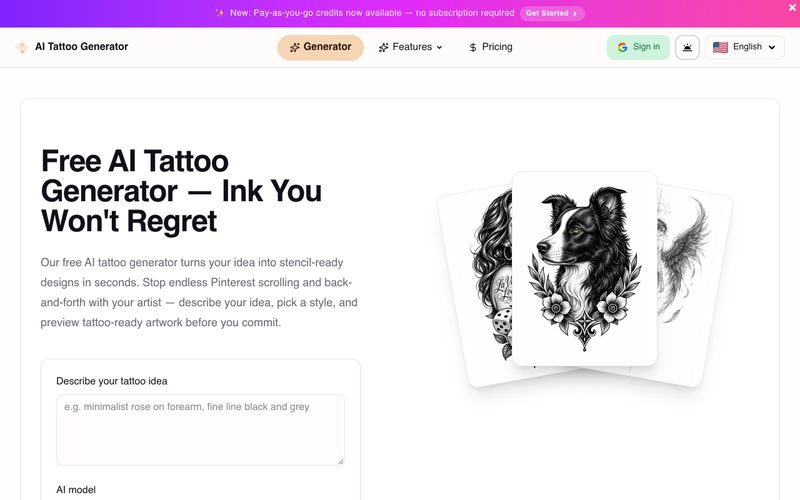
Generate stencil-ready tattoo designs from text with AI. Explore minimalist, traditional, and geometric styles. Get 10 free credits on signup. Bring ideas to a real artist for final adjustments.



This comprehensive guide explores the best AI image generators available in 2026, highlighting their unique features, strengths, and ideal use cases. We'll dive deep into each tool's capabilities to help you identify which AI image generator best suits your creative needs.

Google has just launched a powerful AI IDE code editor — now you can really vibe while coding

The best AI Model And AI Tools in 2026,The Most Popular Free AI Model And AI Tools.