Assine a newsletter de IA
Seus dados estão completamente seguros conosco. Não os compartilhamos com ninguém.
Yes. Any number of rows, any number of conversions, no account needed. Everything on the site is free today. Paid features (batch conversion, saved column mappings, PDF statements, client workspaces) are planned and not built yet; the pricing page lists them as such.
Chase, Bank of America, Wells Fargo, Citi, Capital One, American Express, U.S. Bank, PayPal, Stripe and Square are recognised automatically. Any other CSV or Excel export works too: map the date, description and amount columns. Nothing is stored between visits, so you map again next time.
No. The conversion engine is JavaScript that runs inside your browser tab. Your file is read from your own disk and the .qbo is generated in memory, so no statement, account number or payee name is transmitted.
That message almost always means the file is not a valid Web Connect file, or the account type is wrong. Check that you picked credit card for a credit card and checking for a bank account, then download again — the account type changes the whole structure of the file.
They are generic parsing errors: QuickBooks could not read the file it was given. Common causes are an unsupported date format, an empty description column, or a statement that was edited in a spreadsheet and saved with a stray column. Re-converting from the original download usually fixes it.
The 90-day window applies to automatic bank feeds. A file you upload yourself has no such limit, which is exactly why converting an older statement to .qbo is the standard workaround.
Some card issuers export charges as positive numbers. Open the column mapper and tick "flip the sign of every amount", or switch to the preset for your issuer, which already knows the convention.
Any CSV or Excel file with a date, a description and an amount works. When the header row is not recognised you map the columns in the mapper, and files without a header row at all — Wells Fargo's comma-delimited download, for instance — are handled too.
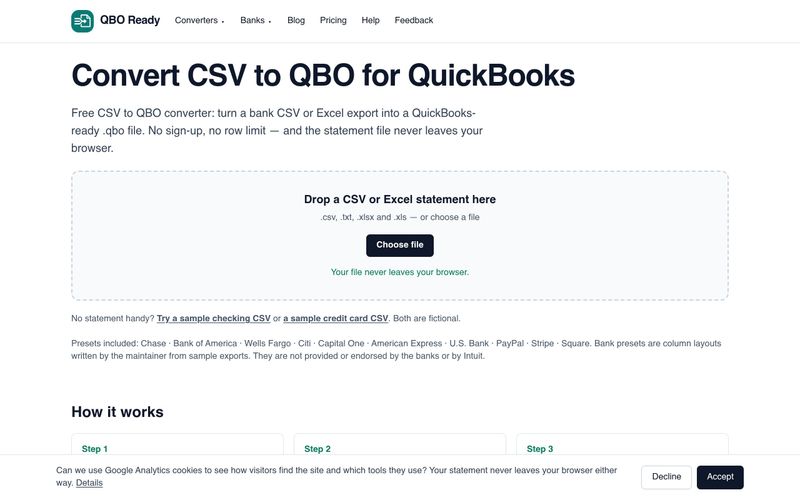
QBO Ready is free with no row limit and no upload — conversion runs in your browser. It auto-recognises 10 major banks and platforms, handles any other CSV via column mapping, and includes guidance on fixing OL-221/OL-222 errors, sign flips and the 90-day bank feed limit.



This comprehensive guide explores the best AI image generators available in 2026, highlighting their unique features, strengths, and ideal use cases. We'll dive deep into each tool's capabilities to help you identify which AI image generator best suits your creative needs.

Google has just launched a powerful AI IDE code editor — now you can really vibe while coding

The best AI Model And AI Tools in 2026,The Most Popular Free AI Model And AI Tools.