Subscribe to AI newsletter
Your data is complely secured with us. We don't share with anyone.
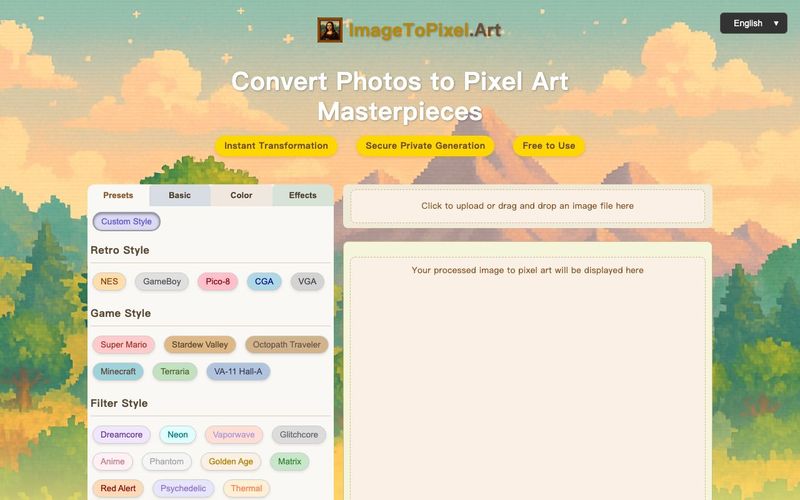
Effortlessly convert image to pixel art with ImageToPixel.Art, your free online picture to pixel art converter. Transform photos, customize styles, and download stunning pixel art masterpieces in seconds. Ideal for all your image to pixel needs.
Powerful Features of Our Image to Pixel Art Generator
Our AI-powered image to pixel art generator offers unlimited creative possibilities. Convert any photo to pixel art and create charming masterpieces, turning your pictures into pixel art with ease.
Instant Transformation
Instantly convert image to pixel art. Our powerful engine turns your picture into pixel art in seconds.
Unlimited Creativity
Unleash your creativity with our image to pixel art generator and create unique artistic works from any photo.
Multiple Styles
Choose from various pixel art styles to match your preferences when you convert an image to pixel art.
Easy to Use
Easy image to pixel art conversion. No design skills? No problem! Just upload your picture, choose a style, and turn image into pixel art effortlessly with our pixel picture maker.
Completely Free
Our image to pixel art converter tool is completely free, with no registration required to use all features for your photo to pixel art needs.
Easy Download
Download your generated pixel art images in high-quality PNG format for easy sharing and use after you convert to pixel art.
Image to Pixel Art Inspiration
See how our image to pixel art converter transforms classic photos. Get inspired to turn your picture into pixel art masterpieces and explore various art to pixel examples.
Upload
Click or drag & drop your JPG, PNG, or other image. Our image to pixel art tool shows your original and the initial pixel art image preview side-by-side.
Customize
Explore presets or dive into manual controls. Adjust pixel size, colors, and effects. Watch your image to pixel conversion update in real-time with our pixel art maker from image!
Download
Happy with your masterpiece? Click download to get your high-quality PNG. It's that easy to convert image to pixel art and get your pixel picture!
Image to Pixel Art FAQs: Your Questions Answered
What exactly is ImageToPixel.Art?
ImageToPixel.Art is a free online tool that lets you easily convert any image to pixel art. You can upload your photos or graphics and use various controls to customize the pixelated look, making it a versatile image to pixel art converter.
How do I turn a picture into pixel art using this tool?
It's simple! 1. Upload your picture. 2. Use our intuitive image to pixel converter sliders and presets to adjust pixel size, colors, and style. 3. Download your finished pixel art image. The real-time preview shows your changes instantly as you convert picture to pixel art.
Is this image to pixel art converter free to use?
Yes, ImageToPixel.Art is completely free for all its core features! Enjoy our free service to convert image into pixel art without any hidden costs.
What kind of images can I convert to pixel art?
You can upload common image formats like JPG, PNG, and others with our image to pixel art converter. It's great for photos, illustrations, logos – pretty much any image into pixel art you can think of! Try our pic to pixel feature today.
What's the best way to convert photo to pixel art for a retro game aesthetic?
Our image to pixel art converter offers presets like NES, GameBoy, and CGA. You can also manually adjust pixel size and color palettes to achieve that perfect retro photo to pixel art look, effectively turning your photo into a classic pixel art image.
Can I use this tool as a pixel art maker from image for social media?
Absolutely! Turning your picture into pixel art is a great way to create unique avatars or posts. Our image to pixel converter ensures high-quality results, perfect for making your social media profiles stand out with unique pixel art.
How detailed can my pixel art image be?
With our image to pixel art tool, you have control over the pixel size. Smaller pixel sizes result in more detailed pixel art images, while larger sizes give a more abstract look. Experiment to find what's best for your image to pixel conversion needs.
Does this img to pixel art tool support transparency?
Yes, you can manage transparency using the alpha threshold setting in our image to pixel art converter. This is perfect for creating sprites or graphics with transparent backgrounds when you convert image to pixel art.
Are there advanced options for converting picture to pixel art?
Our photo to pixel art converter includes advanced options like various dithering algorithms, color balance adjustments, and post-processing effects such as scanlines and bloom. These features help you finely tune your picture to pixel art.
What makes ImageToPixel.Art a good choice for pixel art convert tasks?
We offer a user-friendly interface, a wide range of customization options for your image to pixel art, real-time previews, and it's completely free. It's an ideal pixel art converter for both beginners and experienced artists looking to convert images to pixel art or perform an art to pixel transformation.
Can I turn pictures into pixel art that look like specific game styles?
Yes, our platform has game style presets. You can easily convert your picture to pixel art with these popular aesthetics (e.g., Minecraft, Stardew Valley) or fine-tune settings with our image to pixel art converter for a custom look.
How do I convert image into pixel art with a limited color palette?
Our image to pixel art tool allows you to specify the number of colors (e.g., 2, 4, 16, 256) or even use preset palettes. This gives you full control over the color reduction when you convert an image into pixel art, ensuring your pixel picture maker results are exactly as you envision.
Share practical notes and help others evaluate this tool.
No comments yet. Start the conversation.


Explore curated Codex skins, save favorites, and customize Codex Desktop on macOS or Windows with native UI preserved.

NanoBananaAI is a free AI image generator powered by Nano Banana Pro, Google's advanced image model. Create, edit, and transform stunning visuals with natural language prompts. No design skills needed.

Create faceless reels from an idea or script. Review the hook, voiceover, visuals, captions, and scene plan before generation.
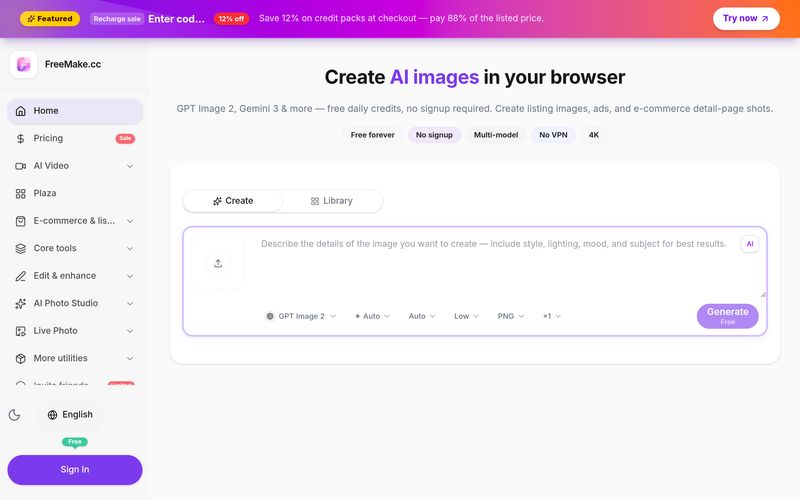
FreeMake.cc: Completely free AI image generator — no login, no VPN. GPT Image 2, WanAI, Seedream 4 and more top models, use freely. 40+ image editing tools — compress, convert, crop, HEIC to JPG & more.


This comprehensive guide explores the best AI image generators available in 2026, highlighting their unique features, strengths, and ideal use cases. We'll dive deep into each tool's capabilities to help you identify which AI image generator best suits your creative needs.

Google has just launched a powerful AI IDE code editor — now you can really vibe while coding

The best AI Model And AI Tools in 2026,The Most Popular Free AI Model And AI Tools.