AI 뉴스레터 구독
귀하의 데이터는 완전히 안전하게 보호됩니다. 어떤 누구와도 공유하지 않습니다.
Unblur Image sharpens blurry photos online with AI. Enhance portraits, restore old photos, enhance product photos and more. Free to try.
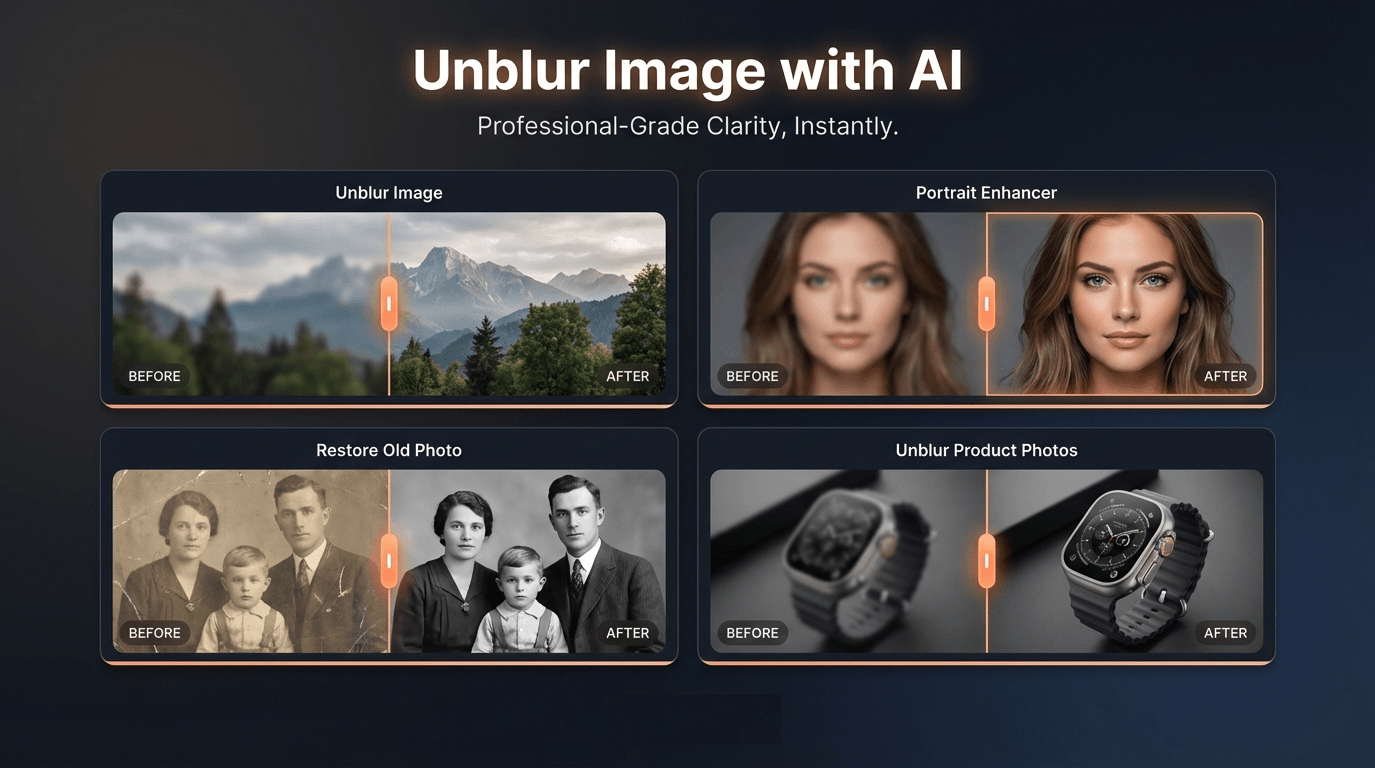
In today’s visual-driven digital world, clear and high-quality images play a critical role in communication, marketing, and storytelling. However, many photos are often ruined by motion blur, missed focus, low resolution, or aging effects. This is where modern AI technology becomes extremely valuable. Unblur Image is an advanced AI tool designed to restore clarity to blurry photos using intelligent image processing. By combining AI-powered enhancement with modern Image Generation and restoration techniques, the platform allows users to transform unclear images into sharp, high-quality visuals in just seconds.
At its core, Unblur Image is built to solve one of the most common problems in photography: blur. Whether the issue comes from shaky hands, poor lighting, low camera quality, or decades of photo degradation, the AI tool can automatically analyze the image and reconstruct missing details. Through advanced Image Generation models, the system recovers textures, edges, and fine visual elements that are often lost in blurry photos. The result is a much clearer image that maintains a natural appearance rather than looking artificially sharpened.
One of the biggest strengths of Unblur Image is its scenario-based enhancement system. Instead of applying a single universal filter, the platform offers specialized modes for different types of photos. For example, the Portrait Enhancer focuses on facial features such as eyes, skin texture, and hair details, helping restore clarity to selfies, headshots, and group photos. Meanwhile, the Old Photo Restoration feature repairs scratches, restores faded contrast, and recovers facial details from aging family photographs. These capabilities demonstrate how AI Image Generation models can intelligently reconstruct visual information that time or poor image quality has erased.
The tool is also particularly useful for businesses and online sellers. The Unblur Product Photos feature sharpens textures, edges, and labels so that products appear clearer and more professional in online listings. High-quality product images are essential for e-commerce, and this AI tool helps sellers quickly improve image quality without requiring professional editing software.
In addition to blur removal, Unblur Image includes several powerful features such as AI upscaling, noise reduction, and detail recovery. These technologies work together to increase resolution, reduce grain, and enhance edges while preserving a natural look. Users can even upload multiple images at once with batch processing, making it an efficient solution for photographers, designers, and content creators handling large collections of photos.
Another advantage of Unblur Image is its accessibility. As a web-based AI tool, it works directly in a browser on both desktop and mobile devices. There is no need to install complex software—users simply upload their photo, choose the appropriate enhancement scenario, and let the AI handle the processing. Within seconds, the platform generates a clearer, sharper version of the original image.
Overall, Unblur Image represents how modern AI tools are transforming digital photo editing. By leveraging advanced Image Generation and restoration technologies, the platform allows anyone—from everyday users to professional creators—to repair blurry photos, enhance portraits, and restore valuable memories. As AI image technology continues to evolve, tools like Unblur Image will play an increasingly important role in making high-quality visuals accessible to everyone.
Unblur Image helps improve photos affected by mild to moderate blur, low sharpness, and low resolution. It works on portraits, old photos, products, text, logos, and landscapes. For the best results, choose the scenario that matches your photo type—General Unblur for products and landscapes, Portrait Enhancer for faces, or Restore Old Photo for old images.
Free credits are available daily. You can use free credits to try General Unblur Image Lite, which has medium-level unblur effects. To use other scenarios or the General Unblur Image Pro version, you need to subscribe a monthly or annual plan.
Batch processing supports up to 30 images per run. Credits are deducted upfront for all images, then refunded for any that fail. For example: uploading 10 images deducts credits for all 10 at once (each scenario uses different credit amounts). If 2 images fail, those 2 credits are automatically refunded.
Unblur Image supports common formats such as JPG, PNG, and WebP. Upload your photo and we will process it in seconds.
Currently JPG format is supported. PNG and more formats will be supported in the future.
Results depend on image quality and blur severity. Unblur Image works best on mild to moderate blur. Extremely blurred images may improve but not fully restore. Please choose the most suitable scenario for the best enhancement results.
No. Unblur Image works online in your browser. You can upload and process images directly without installing anything.
Yes. Unblur Image is designed for both desktop and mobile browsers. Upload and process photos from your phone or tablet.
You can reach our support team by emailing contact@unblur-image.co. We typically respond within 48 hours on business days.
실용적인 메모를 공유하고 다른 사람들이 이 도구를 평가하는 데 도움을 주세요.
아직 댓글이 없습니다. 대화를 시작하세요.


엄선된 Codex 스킨을 탐색하고, 즐겨찾기에 저장하며, 네이티브 UI를 유지한 채 macOS 또는 Windows에서 Codex Desktop을 커스터마이징하세요.

NanoBananaAI는 Google의 고급 이미지 모델인 Nano Banana Pro로 구동되는 무료 AI 이미지 생성기입니다. 자연어 프롬프트로 놀라운 시각적 콘텐츠를 생성, 편집, 변환하세요. 디자인 기술이 필요 없습니다.

아이디어나 대본에서 페이스리스 릴을 만드세요. 생성 전에 훅, 음성 해설, 시각 자료, 캡션, 장면 계획을 검토하세요.
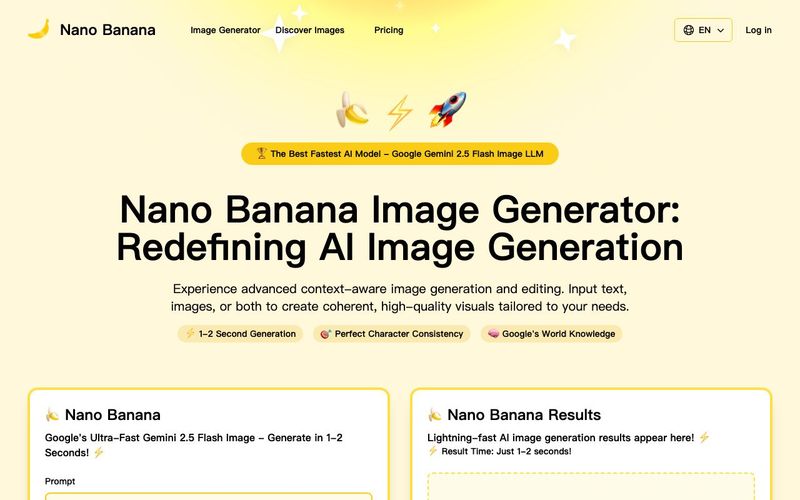
Discover Nano Banana, the next-generation multimodal model for context-aware image generation and editing. Combine text and image prompts to create, edit, and refine visuals with unmatched consistency and style.



This comprehensive guide explores the best AI image generators available in 2026, highlighting their unique features, strengths, and ideal use cases. We'll dive deep into each tool's capabilities to help you identify which AI image generator best suits your creative needs.

Google has just launched a powerful AI IDE code editor — now you can really vibe while coding

The best AI Model And AI Tools in 2026,The Most Popular Free AI Model And AI Tools.