AI 뉴스레터 구독
귀하의 데이터는 완전히 안전하게 보호됩니다. 어떤 누구와도 공유하지 않습니다.
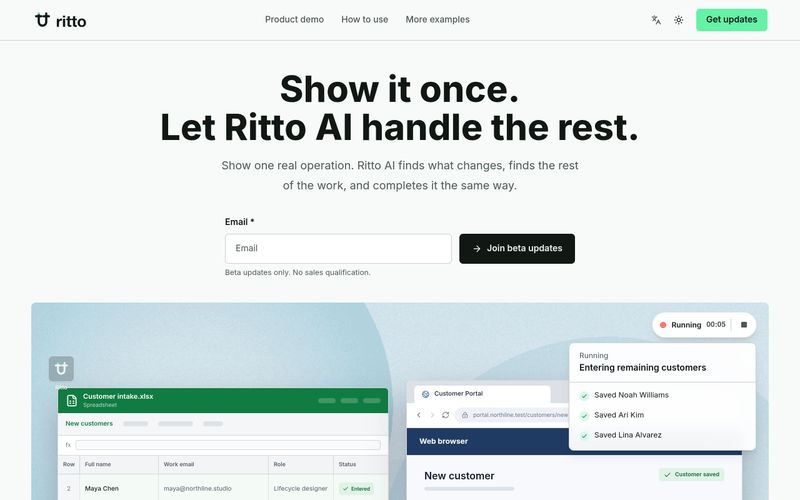
Using Ritto AI is straightforward:
For example, to enter customer data from a spreadsheet into a web portal, you would manually enter one row. Ritto then recognizes the remaining rows as the same task, fills in each profile, and saves them after your confirmation.
Demonstrate a task once, confirm the scope, and let Ritto AI complete the rest. It records your steps, asks for missing details, and executes the workflow with your approval.



This comprehensive guide explores the best AI image generators available in 2026, highlighting their unique features, strengths, and ideal use cases. We'll dive deep into each tool's capabilities to help you identify which AI image generator best suits your creative needs.

Google has just launched a powerful AI IDE code editor — now you can really vibe while coding

The best AI Model And AI Tools in 2026,The Most Popular Free AI Model And AI Tools.