AI 뉴스레터 구독
귀하의 데이터는 완전히 안전하게 보호됩니다. 어떤 누구와도 공유하지 않습니다.
All-in-one GIF toolbox: change GIF speed, compress, crop, resize, convert GIF to MP4 and back. 100% browser-based, free, no upload needed.
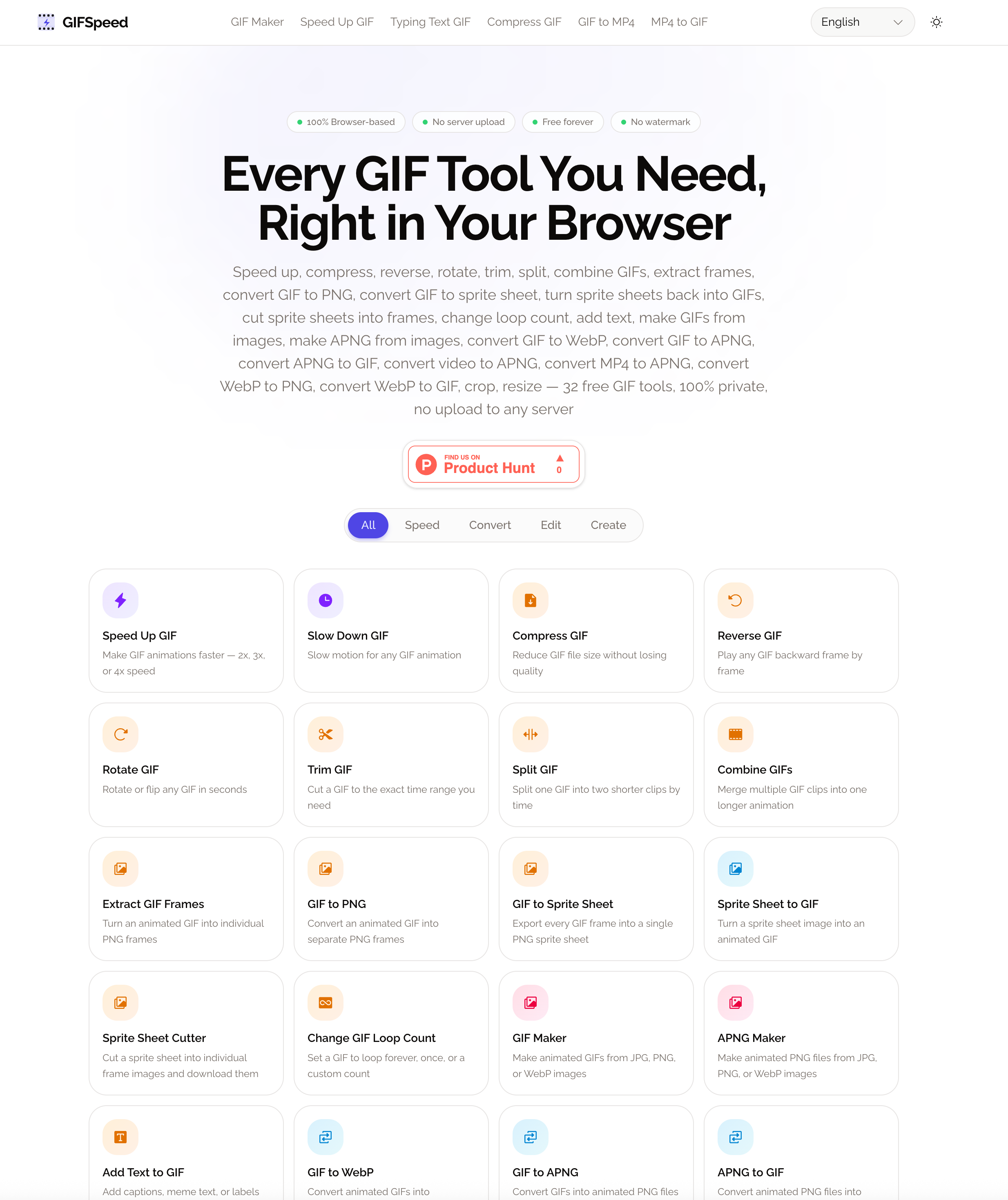
GifSpeed stands out as a comprehensive AI tool designed to simplify and accelerate every aspect of GIF creation, editing, and conversion. Positioned at the intersection of Image Generation and media optimization, GifSpeed delivers an all-in-one browser-based solution that eliminates the need for complex software or server uploads. With over 32 integrated tools, it provides everything creators, developers, and marketers need to work with GIFs efficiently and privately.
One of the most impressive aspects of GifSpeed is its fully client-side architecture powered by WebAssembly. Unlike many traditional platforms, this AI tool processes files directly in your browser, ensuring complete privacy. Your images, videos, and GIFs never leave your device, which is a major advantage for users handling sensitive or proprietary content. Combined with lightning-fast processing—often under 3 seconds—GifSpeed delivers both speed and security without compromise.
From an Image Generation perspective, GifSpeed goes far beyond basic editing. Users can create GIFs from static images, generate APNG animations, convert videos into high-quality GIFs, and even produce typing animation effects for engaging content. Tools like GIF Maker, APNG Maker, and Typing Text GIF enable creative workflows for social media, product demos, and educational visuals. Meanwhile, advanced features such as sprite sheet conversion and frame extraction make it especially valuable for developers and game designers.
Editing capabilities are equally robust. GifSpeed allows users to speed up or slow down animations (0.25x to 4x), compress files without noticeable quality loss, reverse playback, trim clips, split or merge GIFs, and add custom text overlays. Format conversion is another key strength, supporting seamless transitions between GIF, MP4, WebP, APNG, and PNG formats. This flexibility ensures compatibility across platforms like Discord, websites, and mobile apps.
What truly differentiates GifSpeed as an AI tool is its accessibility. It is completely free, requires no sign-up, and adds no watermarks—making it ideal for both casual users and professionals. It also works flawlessly across desktop and mobile devices, allowing users to edit and generate content on the go.
In summary, GifSpeed is more than just a GIF editor—it is a full-scale Image Generation and optimization platform. By combining speed, privacy, and versatility, it redefines what users can expect from a modern browser-based AI tool, making it an essential resource for anyone working with visual content.
Choose a Tool
Pick a tool from the grid above or use the GIF Speed Changer directly on this page. Each tool is optimized for a specific task.
Upload Your File
Drag and drop your GIF, MP4, or video file into the upload area. Supports files up to 80MB — all processing happens locally in your browser.
Adjust & Download
Tweak settings like speed, quality, or dimensions. Click the action button and download your result instantly — no waiting, no account required.
Yes. Every tool on GIFSpeed is completely free — no sign-up, no watermark, no usage limits. There are no hidden paywalls or premium tiers.
No. GIFSpeed processes everything locally in your browser using WebAssembly. Your files never leave your device — there is no server to upload to.
GIFSpeed offers 32 tools: Speed Up GIF, Slow Down GIF, GIF Compressor, Reverse GIF, Rotate GIF, Trim GIF, Split GIF, Combine GIFs, Extract GIF Frames, GIF to PNG, GIF to Sprite Sheet, Sprite Sheet to GIF, Sprite Sheet Cutter, Change GIF Loop Count, Add Text to GIF, GIF Maker, APNG Maker, GIF to WebP, GIF to APNG, APNG to GIF, Video to APNG, MP4 to APNG, WebP to PNG, WebP to GIF, GIF to MP4, MP4 to GIF, GIF to Video, Video to GIF, GIF Cropper, GIF Resizer, My Beloved Edit, and Typing Text GIF.
GIFSpeed supports GIF files up to 80MB and video files up to 80MB for conversion tools.
Use the GIF Speed Changer on this page or visit the Speed Up GIF or Slow Down GIF tool. Upload your GIF, drag the slider to set speed (0.25x to 4x), and download the result.
Open the GIF Compressor tool, upload your file, and choose compression by quality level or by target file size. GIFSpeed adjusts color reduction and optimization to shrink the file while preserving visual quality.
Yes. Use the GIF to MP4 tool to convert any animated GIF into a smaller MP4 video, or the MP4 to GIF tool to turn video clips into animated GIFs with custom FPS and dimensions.
Yes. All tools work on iPhone, Android, and tablet browsers. Tap the upload area to pick a file from your camera roll, adjust settings, and download the result directly to your device.
실용적인 메모를 공유하고 다른 사람들이 이 도구를 평가하는 데 도움을 주세요.
아직 댓글이 없습니다. 대화를 시작하세요.


AI Image Extender는 생성형 AI를 사용하여 이미지를 원래 경계 너머로 확장하는 무료 온라인 도구입니다. 품질을 유지하면서 사진을 쉽게 언크롭하고, 가로세로 비율을 조정하고, 배경을 확장할 수 있습니다.

CreateForge AI는 Nano Banana, Seedream, Grok Imagine, Veo, Flux, GPT Image, Seedance를 포함한 다양한 AI 모델을 사용하여 이미지와 비디오를 생성할 수 있는 창작 작업 공간입니다. 프롬프트 작성, 모델 선택, 보호된 견적, 결과를 저장하는 비공개 라이브러리를 제공합니다.

FLUX, Stable Diffusion, Z Image Turbo, Qwen 등 멀티 모델 전환을 지원하는 무료 브라우저 기반 텍스트-투-이미지 도구입니다. 계정과 크레딧이 필요 없으며 즉시 다운로드할 수 있습니다. 호스트에 따라 제한이 있습니다.

SearchSpot은 항공편, 호텔, 식당, 교통을 비교하고 실시간 가격, AI 추론, 그룹 협업이 포함된 공유 일정을 만들어 주는 AI 여행 계획 도구입니다. 영구 무료입니다.



This comprehensive guide explores the best AI image generators available in 2026, highlighting their unique features, strengths, and ideal use cases. We'll dive deep into each tool's capabilities to help you identify which AI image generator best suits your creative needs.

Google has just launched a powerful AI IDE code editor — now you can really vibe while coding

The best AI Model And AI Tools in 2026,The Most Popular Free AI Model And AI Tools.