AI 뉴스레터 구독
귀하의 데이터는 완전히 안전하게 보호됩니다. 어떤 누구와도 공유하지 않습니다.
Diagram AI that turns plain English into flowcharts, tree diagrams, probability trees, ERDs and more. ChatFlowchart is an AI diagram generator and AI flowchart maker that lets you chat to generate, edit, and export diagrams. Create diagrams online, free to try, no signup.
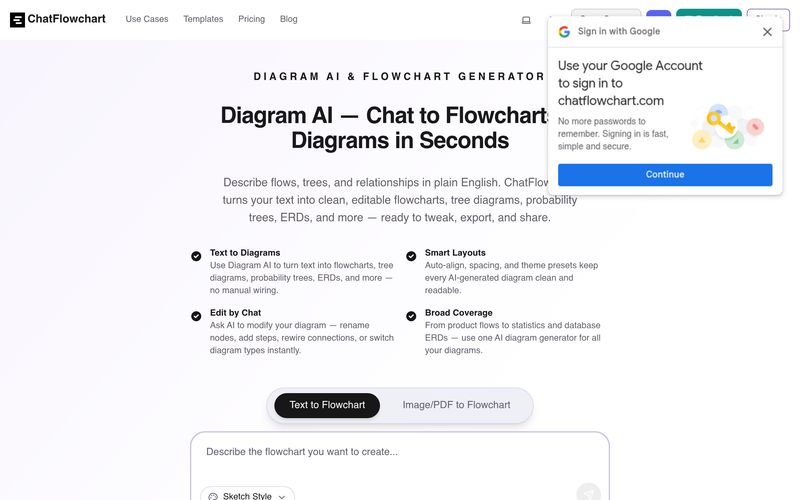
ChatFlowchart is an innovative AI tool designed to simplify visual creation through intelligent diagram building and structured Image Generation workflows. Instead of manually creating complex diagrams, users can simply describe ideas in plain English and instantly turn them into editable flowcharts, ER diagrams, probability trees, UML diagrams, mind maps, and other professional visual structures.
One of the biggest strengths of ChatFlowchart is its text-to-diagram capability. Users can paste a paragraph, bullet points, workflow description, or rough notes, and the platform automatically transforms them into clean, organized visual diagrams. With smart layout optimization, automatic spacing, and styling presets, diagrams remain visually clear and presentation-ready without requiring manual alignment or design work.
Another standout feature of ChatFlowchart is its conversational editing system. Instead of rebuilding diagrams from scratch, users can simply chat with the AI to rename nodes, add decision points, rewire connections, remove outdated steps, or even switch between diagram types instantly. This makes the platform especially valuable for teams that need fast iteration and flexible workflow updates.
Beyond text-based creation, ChatFlowchart also supports image-to-flowchart generation, allowing users to upload screenshots, whiteboard photos, scanned process charts, or older diagrams and convert them into editable visuals. The AI recognizes arrows, labels, structures, and relationships, transforming static images into reusable and editable diagrams. This feature significantly reduces the time spent recreating workflows manually.
For professionals across industries, ChatFlowchart supports over 10 diagram formats, including flowcharts, UML, ERD, BPMN, C4 diagrams, org charts, mind maps, sequence diagrams, and probability trees. Whether users are building software architecture, database relationships, educational diagrams, or business workflows, the platform offers a centralized creative experience.
Another practical benefit is its flexible export capability. Users can quickly export diagrams as PNG, SVG, or PDF, making sharing and collaboration much easier. Since ChatFlowchart also offers free online access without mandatory signup, beginners can experiment with workflows immediately.
Overall, ChatFlowchart stands out as a highly practical AI tool for creators, developers, educators, and businesses looking to improve visual communication and structured Image Generation workflows. By combining natural language input, AI-powered diagram creation, conversational editing, and image conversion features, ChatFlowchart makes professional diagram building significantly faster and more accessible.
Paste or type your process, workflow, or algorithm—this text to flowchart flow chart builder supports flows, probability trees, relationships, and roles.
Our ai flowchart generator detects entities, relations, and structure, then builds the right diagram: flow diagram builder, process chart maker, or workflow chart creator—automatically laid out.
Chat to revise anything: update labels, add/remove nodes, rewire connections, switch diagram types, or create process flow diagram online without starting over.
Polish styles, then export PNG/SVG/PDF or share a link. It’s a flowchart online maker you can use as a free online flowchart maker for quick collaboration.
Can I generate a flowchart from text or a paragraph?
Yes. Paste plain English or bullet points; the AI parses steps and decisions to build a clean flowchart.
Can I generate other diagrams like tree diagrams or ERDs?
Yes. You can use our Diagram AI as a tree diagram maker, probability tree maker, ERD maker AI, and more — all from text prompts.
Can I edit the flowchart by chat?
Yes. Rename nodes, add steps, rewire connections, and adjust layout through chat.
What export formats are supported?
PNG, SVG, and PDF.
Which diagram types are supported?
Flowchart, UML, ERD, Mind Map, C4, BPMN, Org Chart, and more—over ten types in total.
Do I need to sign up? Is it free?
You can try it online for free without signing up.
Can I modify diagrams by chat?
Yes. Use conversational commands to rename text, add or delete nodes, and adjust connections or layout. For example: "Rename 'Auth' to 'Authentication Service'," "Add a decision node after Step 2," "Remove the legacy API node," or "Connect Checkout → Payment Service." Changes apply instantly and remain fully editable.
실용적인 메모를 공유하고 다른 사람들이 이 도구를 평가하는 데 도움을 주세요.
아직 댓글이 없습니다. 대화를 시작하세요.


엄선된 Codex 스킨을 탐색하고, 즐겨찾기에 저장하며, 네이티브 UI를 유지한 채 macOS 또는 Windows에서 Codex Desktop을 커스터마이징하세요.

NanoBananaAI는 Google의 고급 이미지 모델인 Nano Banana Pro로 구동되는 무료 AI 이미지 생성기입니다. 자연어 프롬프트로 놀라운 시각적 콘텐츠를 생성, 편집, 변환하세요. 디자인 기술이 필요 없습니다.

아이디어나 대본에서 페이스리스 릴을 만드세요. 생성 전에 훅, 음성 해설, 시각 자료, 캡션, 장면 계획을 검토하세요.
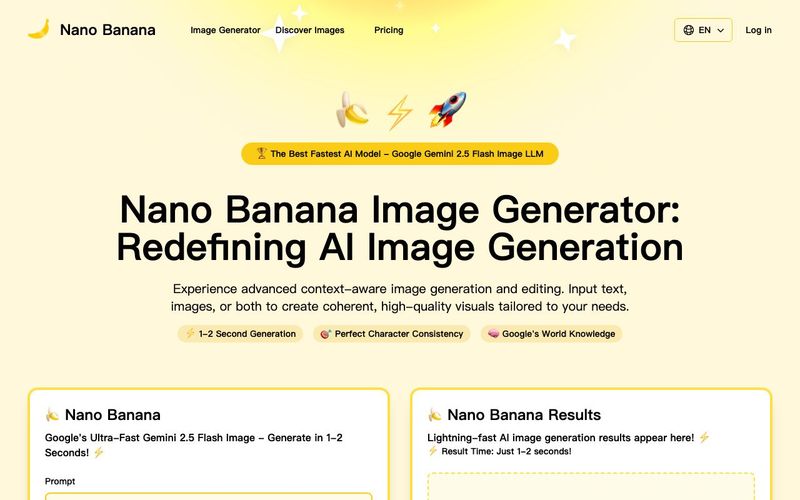
Discover Nano Banana, the next-generation multimodal model for context-aware image generation and editing. Combine text and image prompts to create, edit, and refine visuals with unmatched consistency and style.



This comprehensive guide explores the best AI image generators available in 2026, highlighting their unique features, strengths, and ideal use cases. We'll dive deep into each tool's capabilities to help you identify which AI image generator best suits your creative needs.

Google has just launched a powerful AI IDE code editor — now you can really vibe while coding

The best AI Model And AI Tools in 2026,The Most Popular Free AI Model And AI Tools.