AI 뉴스레터 구독
귀하의 데이터는 완전히 안전하게 보호됩니다. 어떤 누구와도 공유하지 않습니다.
Free 4o-image generator & action figure creator—design high-quality art, 3D characters, and custom figures online. Perfect for artists & game devs.

4o-Image integrates a series of powerful features, making image generation simple and flexible, whether you're a professional designer or creative enthusiast
Powered by the latest GPT-4o model, generate ultra-high resolution and detailed images with clarity up to 4K resolution.
Access to 60+ preset art styles, including photorealistic, oil painting, watercolor, pixel art, cyberpunk, and more to meet various creative needs.
Built-in intelligent prompt assistant helps you optimize your prompts for better results. Even newcomers can create stunning artwork.
Generate multiple variants simultaneously, compare different creative directions, save time and increase creative exploration possibilities.
All creations automatically save to your personal library for easy access, editing, or downloading, making it convenient to manage your creative assets.
Built-in simple yet powerful editing tools to fine-tune generated images, adjust colors, contrast, add simple text, and more without professional design software.
Share your creations to our community library with one click, get feedback and inspiration, or learn excellent prompt techniques from other users' works.
Support for multiple export formats including high-resolution PNG, JPG, WebP, etc., convenient for websites, social media, print materials, or other creative projects.
Describe the image you want, whether it's a simple idea or a detailed scene description. Alse you can edit the photo style and parameters.
Select your preferred art style, adjust parameters for the ideal effect. You can specify style, proportions, level of detail, and other parameters.
Our gpt-4o model generates images based on your prompts and settings. Each generation creates a unique work, with subtle differences even when using the same prompt.
If satisfied, download your creation and share it on social media. You can also save it to your personal project library for future access and editing.
4o-Image runs on the cutting-edge GPT-4o model, which really understands what you're asking for - even when your prompts get complex. We've designed our platform to be super straightforward, with a clean interface that makes creating stunning images simple for everyone. Beyond the basics, we've packed in some unique features like batch generation (create multiple versions at once), style mixing (blend different artistic approaches), and easy editing tools that don't require a design degree to use. It's all about making high-quality image generation accessible and enjoyable.
Not even slightly! That's one of the things our users love most about 4o-Image. We built it specifically so anyone can create impressive images without prior design experience. Our AI prompt helper suggests improvements to your descriptions, and we've included one-click style presets that instantly apply professional artistic looks. The whole interface is streamlined and intuitive - we regularly test with complete beginners to make sure it's truly accessible to everyone. Even if you've never used AI image tools before, you'll be creating amazing visuals within minutes.
Absolutely! When you subscribe to either our standard or premium plan, you get full commercial usage rights for all the images you create. Use them on websites, in marketing campaigns, across social media, for product designs - wherever you need visual content. There's no extra licensing fees or complicated rights agreements. Just two common-sense limitations: don't use the tool to create content that infringes on others' intellectual property (like generating knock-offs of famous characters or logos), and don't create harmful or legally problematic content. Beyond that, your creations are yours to use professionally however you see fit.
The secret to great prompts is being specific about what you want! Instead of typing "beach sunset," try something like "wide-angle shot of a tropical beach at golden hour, with silhouetted palm trees, gentle waves with foam washing ashore, dramatic orange and purple sky, photography style with vibrant colors." Think about including details on subject, setting, lighting, mood, perspective, and artistic style. Our built-in prompt helper can suggest improvements too - it'll analyze what you've written and offer ways to make it more effective. And don't be afraid to experiment! Sometimes adding unexpected elements leads to the most striking results.
We've got you covered with all the standard formats - PNG, JPG, and WebP. Resolution options depend on your subscription tier: standard plans go up to 2048×2048 pixels (plenty for most web and social media uses), while premium subscribers can generate super-crisp images at 4096×4096 (perfect for printing and detailed work). You can also choose whatever aspect ratio makes sense for your project - square 1:1 for profile pics and Instagram, wide 16:9 for banners and presentations, tall 9:16 for stories and mobile content, and plenty of other options. Every image is optimized for quality and sharpness, so they look professional wherever you use them.
There are several ways to improve results: 1) Modify your prompt by adding more specific details or using different descriptions; 2) Try different style presets, which can significantly change the image's appearance; 3) Use our "variant generation" feature to explore different versions while maintaining the overall concept; 4) Utilize the built-in editing tools to adjust the generated image; 5) If you're an advanced user, try adjusting advanced parameters such as generation steps, prompt weights, etc. If you still encounter difficulties, you can refer to our prompt guide or contact customer support.
Yes, 4o-Image is fully compatible with mobile devices. Our website uses responsive design and runs smoothly on smartphones and tablets. Additionally, we offer native iOS and Android applications that provide a more optimized mobile experience and some features designed specifically for mobile devices. Regardless of which device you use, you can create and edit AI images anytime, anywhere.
We prohibit generating any illegal, harmful, pornographic, or violent content, as well as images that infringe on others' rights. Our system has built-in safety filters that block the generation of such content. Regarding technical limitations, free plans have daily image generation quantity limits and a resolution cap of 1024×1024. Paid plans offer more generation quotas and higher resolution options. Detailed terms of use and limitations can be viewed on our terms of service page.
실용적인 메모를 공유하고 다른 사람들이 이 도구를 평가하는 데 도움을 주세요.
아직 댓글이 없습니다. 대화를 시작하세요.


엄선된 Codex 스킨을 탐색하고, 즐겨찾기에 저장하며, 네이티브 UI를 유지한 채 macOS 또는 Windows에서 Codex Desktop을 커스터마이징하세요.

NanoBananaAI는 Google의 고급 이미지 모델인 Nano Banana Pro로 구동되는 무료 AI 이미지 생성기입니다. 자연어 프롬프트로 놀라운 시각적 콘텐츠를 생성, 편집, 변환하세요. 디자인 기술이 필요 없습니다.

아이디어나 대본에서 페이스리스 릴을 만드세요. 생성 전에 훅, 음성 해설, 시각 자료, 캡션, 장면 계획을 검토하세요.
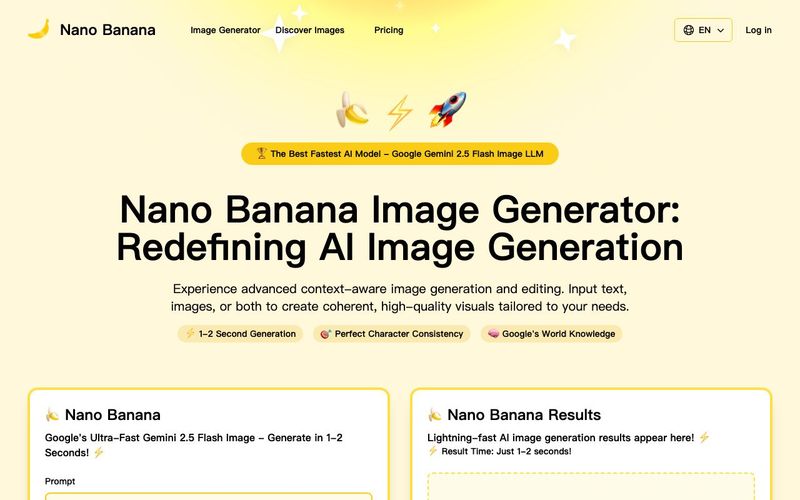
Discover Nano Banana, the next-generation multimodal model for context-aware image generation and editing. Combine text and image prompts to create, edit, and refine visuals with unmatched consistency and style.



This comprehensive guide explores the best AI image generators available in 2026, highlighting their unique features, strengths, and ideal use cases. We'll dive deep into each tool's capabilities to help you identify which AI image generator best suits your creative needs.

Google has just launched a powerful AI IDE code editor — now you can really vibe while coding

The best AI Model And AI Tools in 2026,The Most Popular Free AI Model And AI Tools.