AIニュースレターを購読
あなたのデータは私たちと完全に安全です。誰とも共有しません。
Yes. The text-to-video workflow turns a prompt, script, product description, or idea into a generated clip.
Yes. Upload an image, add a motion prompt, and generate video. Available controls can include aspect ratio, resolution, and duration.
Yes. Paste the script or a shorter scene description into the text-to-video prompt and generate from there.
Yes. Choose a vertical aspect ratio when the model offers it, then adapt the same idea for a wider cut if you need one.
Yes. Image-to-video is built for product showcases, promotions, and ad concepts that start from a still.
The studio includes models such as Kling, Wan, Seedance, Veo, HappyHorse, and SkyReels. Names and availability change as models are added.
Match the model to the input, motion, style, consistency, resolution, and duration you need. Try a second model when the first result misses the shot.
No. You can start from a prompt or an image. Editing experience helps later, but it is not required to generate the first clip.
Commercial use depends on your Creovox plan and the terms that apply to the model you used. Check the current plan and terms before you publish
It varies by model, length, resolution, and queue. You stay in the studio while the clip renders, then review it in history.
Creovox AI is a versatile AI tool that simplifies video creation for content creators, marketers, and businesses. Whether you're generating videos from text, animating images, or producing social media content, Creovox AI offers an accessible workflow with multiple AI video models.
Can Creovox AI generate videos from text or images? Absolutely. Users can transform text prompts, scripts, product descriptions, and creative ideas into videos using its Text-to-Video feature. The Image-to-Video tool also turns static photos into animated clips by adding motion prompts, making it ideal for product showcases, advertisements, and social media marketing.
Does Creovox AI support social media video creation? Yes. This AI tool helps users create content for TikTok, YouTube Shorts, and Instagram Reels. When supported by the selected model, users can customize aspect ratios, video duration, and resolution to suit different platforms.
Which AI video models are available? Creovox AI integrates models such as Kling, Wan, Seedance, Veo, HappyHorse, and SkyReels. Users can compare models based on motion quality, visual style, consistency, and output requirements. Model availability may change over time.
Is Creovox AI suitable for beginners? Yes. No professional video editing experience is required to generate a first clip. Users can start with a simple prompt or image, review the generated video, and refine their results through further iterations.
Can Creovox AI videos be used commercially? Commercial usage depends on the subscription plan and the licensing terms of the selected AI model. Users should review the applicable terms before publishing commercial content.
How fast is video generation? Processing time varies depending on the model, video length, resolution, and queue. Generated clips can be reviewed through the studio's history.
Overall, Creovox AI is a practical AI tool for creating marketing videos, product animations, and social media content through a flexible, model-powered creative workflow.


This comprehensive guide explores the best AI image generators available in 2026, highlighting their unique features, strengths, and ideal use cases. We'll dive deep into each tool's capabilities to help you identify which AI image generator best suits your creative needs.
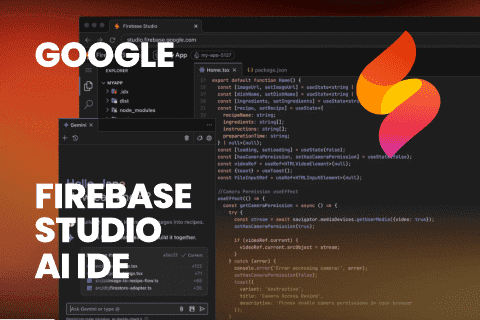
Google has just launched a powerful AI IDE code editor — now you can really vibe while coding
The best AI Model And AI Tools in 2026,The Most Popular Free AI Model And AI Tools.